Google's geometry
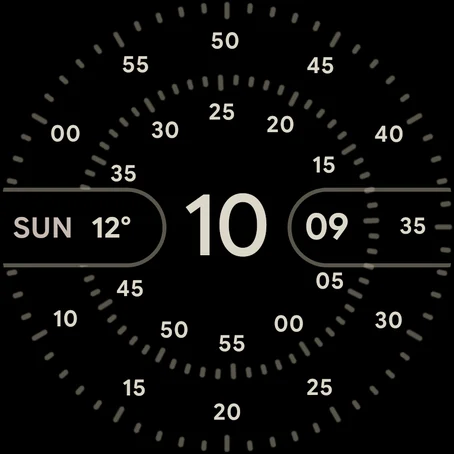
Every ring, digit, tick and pill sits where it sits on the Pixel, worked out from Google's own layout and scaled to the Wear OS canvas. The rings sweep smoothly instead of ticking, as they do on the Pixel.
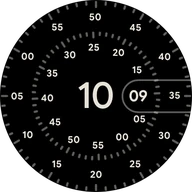 Concentric+ for Wear OS
The closest recreation of Google's Concentric face you can put on your wrist. The rings sweep, the 64 colorways are all there, and the complications and always-on look are drawn the way the Pixel draws them. It's built natively in Watch Face Format, the way Google builds its own faces.
Coming soon to Google Play. Free, for Wear OS 5.1 and newer (Half Dial on Wear OS 7). No ads, no accounts, no tracking.
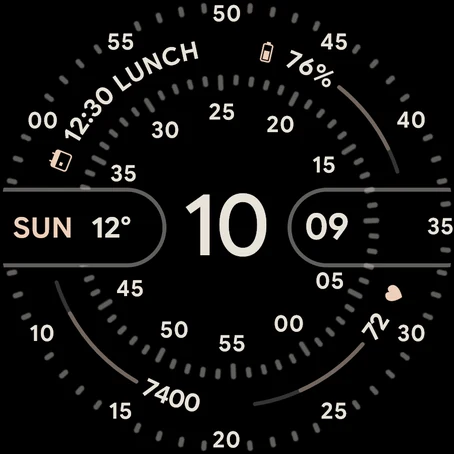
Porcelain, Dials and Arcs · now
Make it yours
On the watch, long-press Concentric+ and tap Customize. You get these same options. Try them on the watch on this page.
The hour sits in the middle. Around it, the minute ring and the second ring sweep, never ticking, so the current minute and second always line up at the pill on the right. Drag the slider under the watch, or press play to run the clock a minute a second.
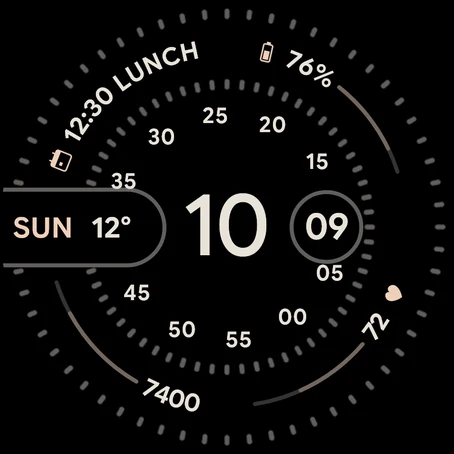
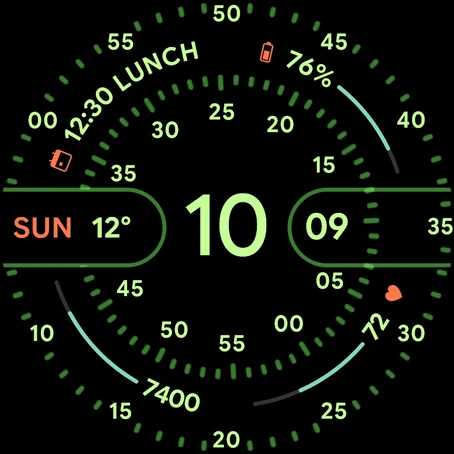
A colorway and a layout in one tap, like the flavors on the Pixel. Porcelain, Google's default, is where a fresh install starts. Campari and Unicorn use Half Dial, so they need Wear OS 7.
All 64 of the Pixel's colorways, in the same order. Each is four colours with the same jobs as on the Pixel: the time, the rings, the complication tracks and the icons. Complications take on the colorway too, whatever colours the app behind them sends.
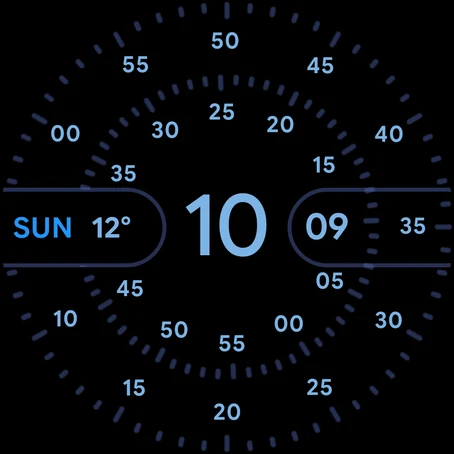
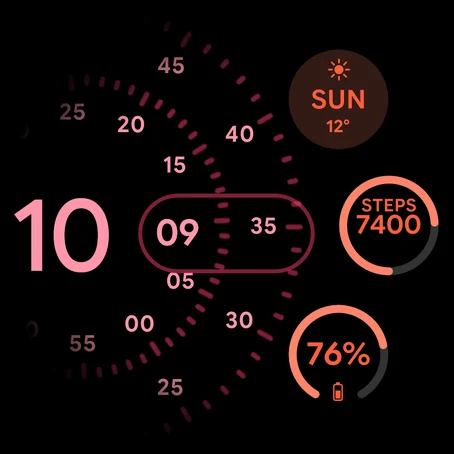
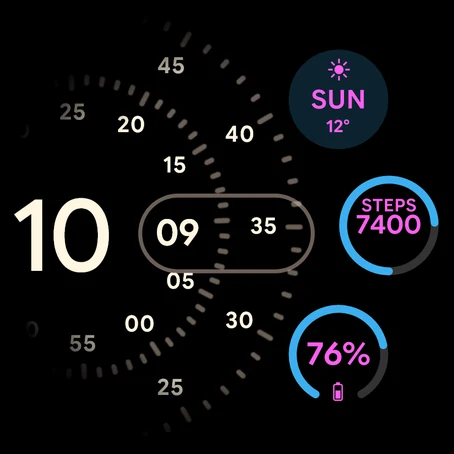
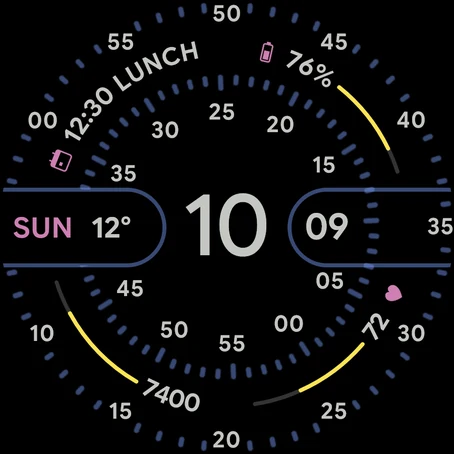
Dials keeps just the rings. Dials and Arcs adds four complications that curve around the corners. Half Dial slides the clock left to make room for three round ones, on Wear OS 7.
Google's tick rings, a sparser ring with one tick every five, or none at all for a face of just the numbers.
As on the Pixel, the rings shrink a little and switch to lighter ticks, the second digits go, and the pill closes into a ring around the minute. The complications stay whole, arcs and all. Three more styles go quieter still.
A few things the Pixel's face doesn't have. The left pill is a fifth complication that mirrors the minute pill. Placeholder bars centre short text, like the heart rate here, with a track either side. They're all off on a fresh install, so the face starts out looking just like Google's.
The closest replica
The idea of Concentric is easy to copy. What makes it feel like the Pixel's is the details, so Concentric+ starts there: Google's own layout, colours and complication rules, carried over one by one.
Every ring, digit, tick and pill sits where it sits on the Pixel, worked out from Google's own layout and scaled to the Wear OS canvas. The rings sweep smoothly instead of ticking, as they do on the Pixel.
The Pixel's full palette, from Fog to Mariner, in the same order with the same default. Each colour does the same job it does on the Pixel, down to the 50% rings and the grey of an empty track.
Ratings get a dot in a gap of their track, temperatures their low and high, progress and goals a fill that brightens past the target. Icons and colour ramps are repainted in the colorway, so no app can clash with the face.
Google Sans Flex, tuned so the time matches the widths of the Pixel's clock font to within about 1%. It's openly licensed, so nothing is lifted from Google's apps.
On Wear OS 6 and newer the switch to always-on uses Google's own easing: the rings settle 3% smaller and the pill folds into a ring.
A left pill complication, four always-on styles, three tick styles and a few switches. All of them are off until you want them.
| Feature | Pixel Watch Concentric | Concentric+ |
|---|---|---|
| Sweeping minute and second rings | Yes | Yes |
| All 64 colorways | Yes | Yes |
| Dials, and Dials and Arcs | Yes | Yes |
| Half Dial | Yes | Wear OS 7 |
| Pixel-style ratings, temperatures and goals | Yes | Yes |
| Runs on other Wear OS watches | Pixel Watch only | Wear OS 5.1+ |
| Left pill complication | No | Yes |
| Always-on and tick styles | No | 4 and 3 |
Watch Face Format native
Concentric+ is written entirely in Watch Face Format, the declarative format Google made for Wear OS faces. There's no code in it at all: the watch's own system draws it.
Nothing of its own runs in the background, so there's nothing to drain the battery, crash or phone home. It can't collect anything, and it doesn't.
Google Play sends each watch the best build it can run: Wear OS 5.1 gets the face, Wear OS 6 adds the eased always-on transitions, and Wear OS 7 adds Half Dial.
Every build passes Google's Watch Face Format validator and its memory-footprint check, at the limits Google recommends for Play, before it ships.
The flavors
Rendered from the face itself, with sample complications. These are the screenshots on the Play listing.
Install
Concentric+ will be free for watches with Wear OS 5.1 or newer. Once it's out, it's on your wrist in a minute.
Open the Play Store on your watch and search for Concentric+, or install it to your watch from the listing on your phone.
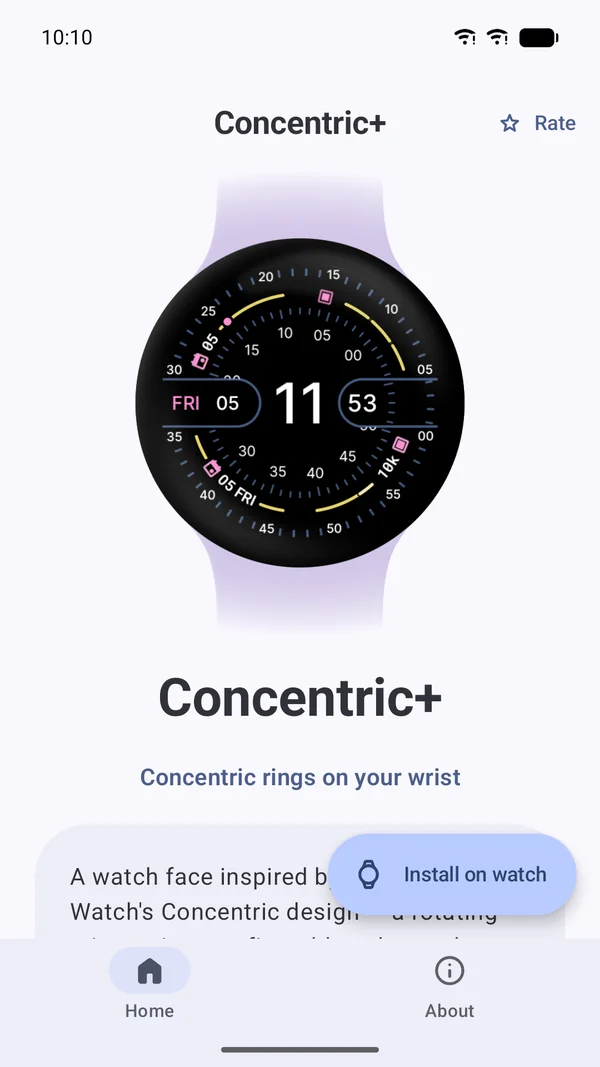
Some phones don't list watch faces. The same listing then installs a small Concentric+ phone app. Tap Install on watch and the listing opens on your paired watch.
Concentric+ grew out of the open-source Concentric watch face by Luka Kilic (MIT License). The type is Google Sans Flex, under the SIL Open Font License.
Concentric+ is an independent recreation, not affiliated with or endorsed by Google. Pixel and Pixel Watch are trademarks of Google LLC.
The watch faces don't collect, store or send any personal data. There are no accounts, ads or analytics. Read the privacy policy.
Have a look at the support page, or email developerdfa@gmail.com.