Get it from Google Play
Open the Play Store on your watch and search for WatchSky, or use the Google Play button on this page and install it to your watch.
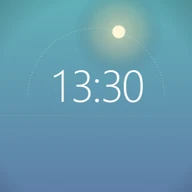 WatchSky for Wear OS
WatchSky paints the real sky behind the time. It follows the sun where you live: it lightens at dawn, turns gold at sunset and fills with stars at night, and dawn and dusk move with the seasons. The sun and moon cross the face on an arc, and the sky changes with the weather.
Free. For Wear OS 5.1 and newer. No ads, no accounts, no tracking.
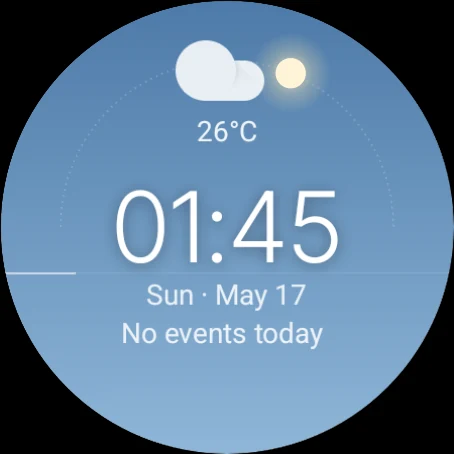
Daytime · now
Make it yours
On the watch, long-press WatchSky and tap Customize. You get these same options, with the same icons. Try them on the watch on this page.
Six layers of sky blend into each other as the sun climbs and sets: night, blue hour, sunrise, golden hour and a clear midday blue. Each one follows the sun's real height, so the evening plays the morning back in reverse. After dusk the stars come out and wheel slowly across the sky, rising and setting like the moon. Drag the slider under the watch, press play to watch a whole day, or jump to a moment:
Pick the band you live in. With the date, that's all the face needs to work out sunrise, sunset and how high the sun climbs, so the sky keeps up with the seasons by itself. The sun is amber on the horizon and whitens as it rises, and its glow grows with it. It never asks for your location.
Madrid, New York, Beijing
Today the sun rises and sets with the band.
With Show weather on, an icon and the temperature sit above the time. The sky follows the conditions too: grey under cloud and snow, darker in the rain.
At night the moon takes the sun's place on the arc. Live follows the real phase, or you can keep your favourite.
The thin line along the horizon fills up. Pick what it counts: seconds, minutes or battery. You can also turn it off. Minutes and battery stay on in always-on mode.
The slot under the date shows your next event by default. You can swap in any long-text complication. Tap the date to open your calendar, or the time to open your alarms. Dark ground ends the sky at the horizon and lets its glow fade into black below.
Install
WatchSky is free on Google Play for watches with Wear OS 5.1 or newer. It runs entirely on the watch.
Open the Play Store on your watch and search for WatchSky, or use the Google Play button on this page and install it to your watch.
Some phones don't list watch faces. The same listing then installs a small WatchSky phone app. Tap Install on watch in it and the listing opens on your paired watch.
The watch faces don't collect, store or send any personal data. There are no accounts, ads or analytics. Read the privacy policy.
Have a look at the support page, or email developerdfa@gmail.com.